 Wiresketch
Open the app
Wiresketch
Open the app
Wiring diagrams · iPad & iPhone
Sketch it. It straightens itself.
Draw wires roughly with an Apple Pencil or a finger. Wiresketch squares them onto a 5 mm grid, snaps symbols to the ends and numbers every cable from → to.
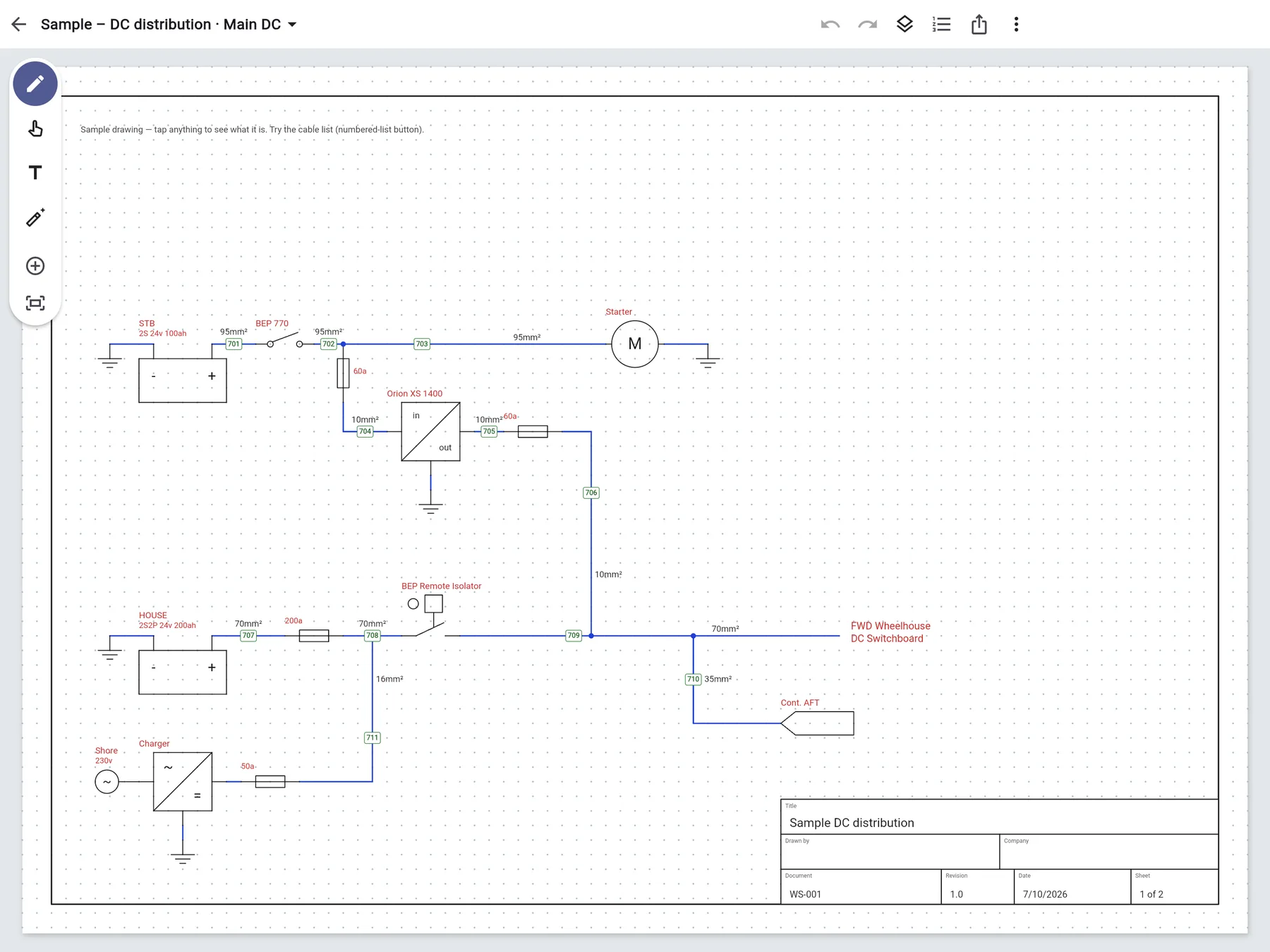
Sample — DC distribution · Main DCSheet 1 of 2Cables 701–711Built-in marine DC symbols
Gestures in, schematic out
There are no wire tools to pick. You draw the way you would on paper, and each stroke is read as a wire, a symbol, a deletion or an undo.
Every cable knows where it runs
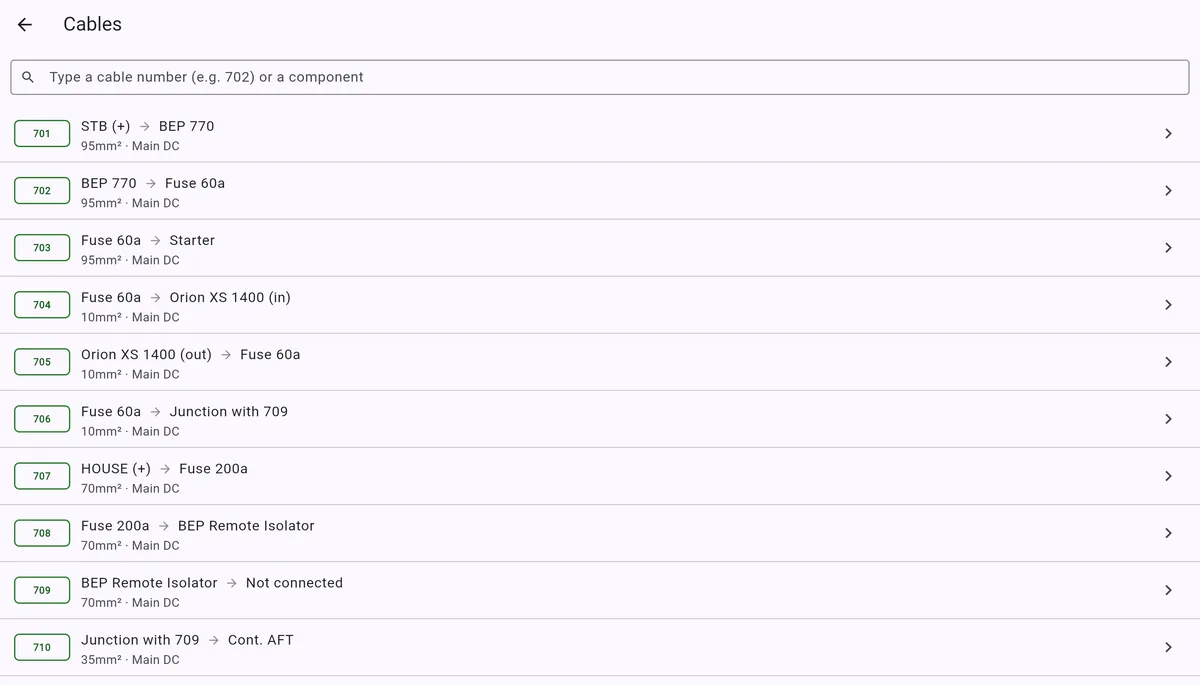
Numbers are assigned as you draw, starting wherever you like. From and to are worked out from the drawing, so the cable list is always right.
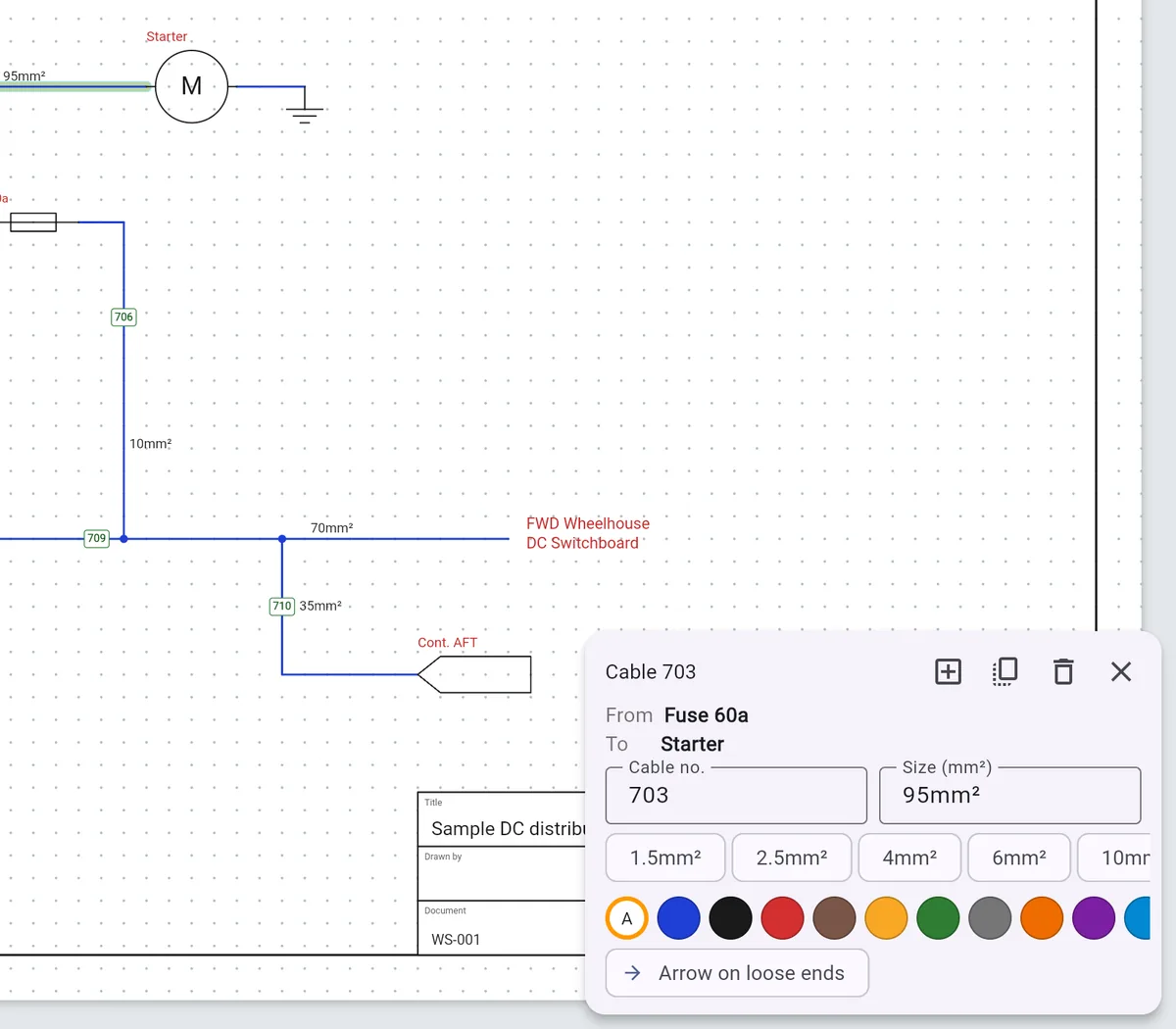
Tap a wire, read its run
Cable 703 runs from Fuse 60a to Starter at 95 mm². Set the size in mm² or AWG per drawing, switch at any time, and existing sizes convert to the nearest standard size.
- Automatic numbering from a start you choose, like 701
- Renumber the whole sheet top to bottom in one go
- Per-wire colours, or a default for picture-style diagrams
A cable schedule you never typed
Search the list by number or component. Type “702” and jump straight to it on the drawing. The same list prints as a schedule page in the PDF.
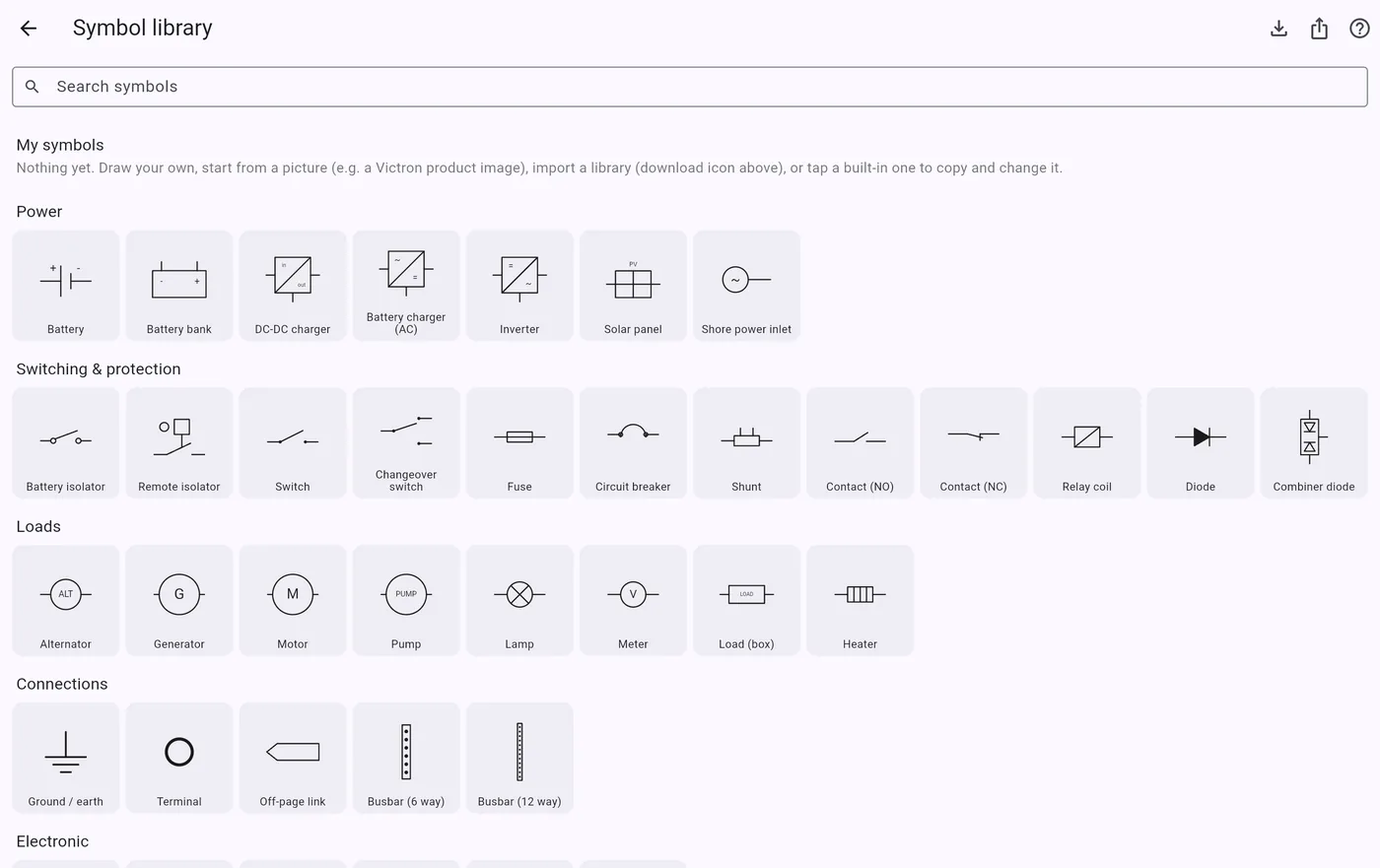
Bring your own symbols
About 40 built-in symbols with a marine DC focus, plus common electronics. Import thousands more, or draw your own.
Import a whole library
QElectroTech’s free IEC 60617 and US-standard collections bring around 8,800 symbols. Terminals become pins and folder names become categories.
- Sketch a symbol or use exact line, box and circle tools
- Turn a product photo, like a Victron unit, into a symbol and tap its terminals to make pins
- Share your set as a .wslib file
Ready for the approver
Export a vector PDF from A4 to A1 through the share sheet, to Mail, Files or AirDrop. What you hide stays hidden in the export.
Pages and title blocks
Several pages per project, each with title, drawn by, company, document no., revision with a +1 button, date and sheet n of N.
Off-page links
Link symbols jump to the page they point at, so a switchboard can live on its own sheet.
Layers
Show or hide labels, cable numbers, notes and the grid, on screen and in the PDF.
Pencil first
Once you use an Apple Pencil, the Pencil draws, fingers pan and zoom, and a resting palm can’t interrupt a stroke.
Select and duplicate
Box-select a group, then move, resize, recolour, delete or duplicate it.
Your files
Projects save automatically and show up in the Files app under On My iPad → Wiresketch.
Now in beta
Try Wiresketch on TestFlight
Wiresketch is in beta for iPad and iPhone. Install it through Apple’s TestFlight app, draw your next boat or van system, and tell us what to fix.
- Install TestFlight from the App Store.
- Open the beta link on your iPad or iPhone and tap Accept.
- Open Wiresketch and tap Open a sample drawing.